What you get
The board report and the dashboard come from the same close
The dashboard is one output of the monthly workflow. It uses the same checked numbers as the board report and the SACS statements.

Four screens from the sample dashboard
These screens come from the Live Sample Dashboard, which shows Kestrel Learning, a fictional two-school network. You can open it without signing in.
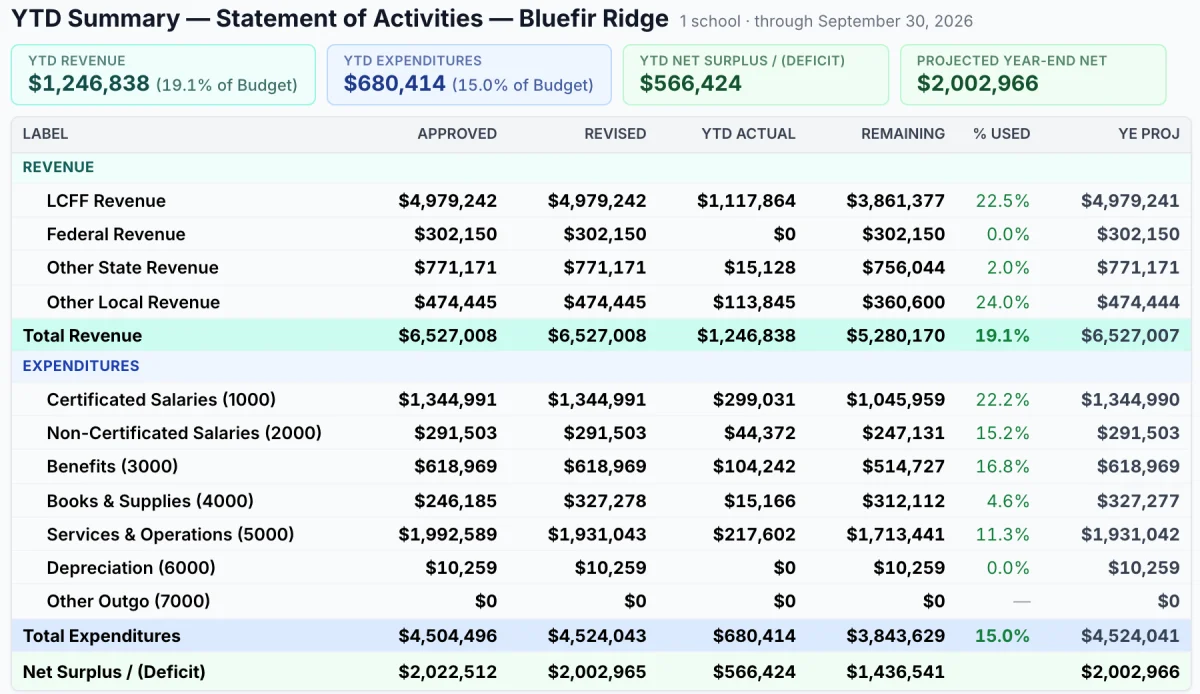
SACS statements
Revenues and expenditures by object range, budget against actual.
Live Sample Dashboard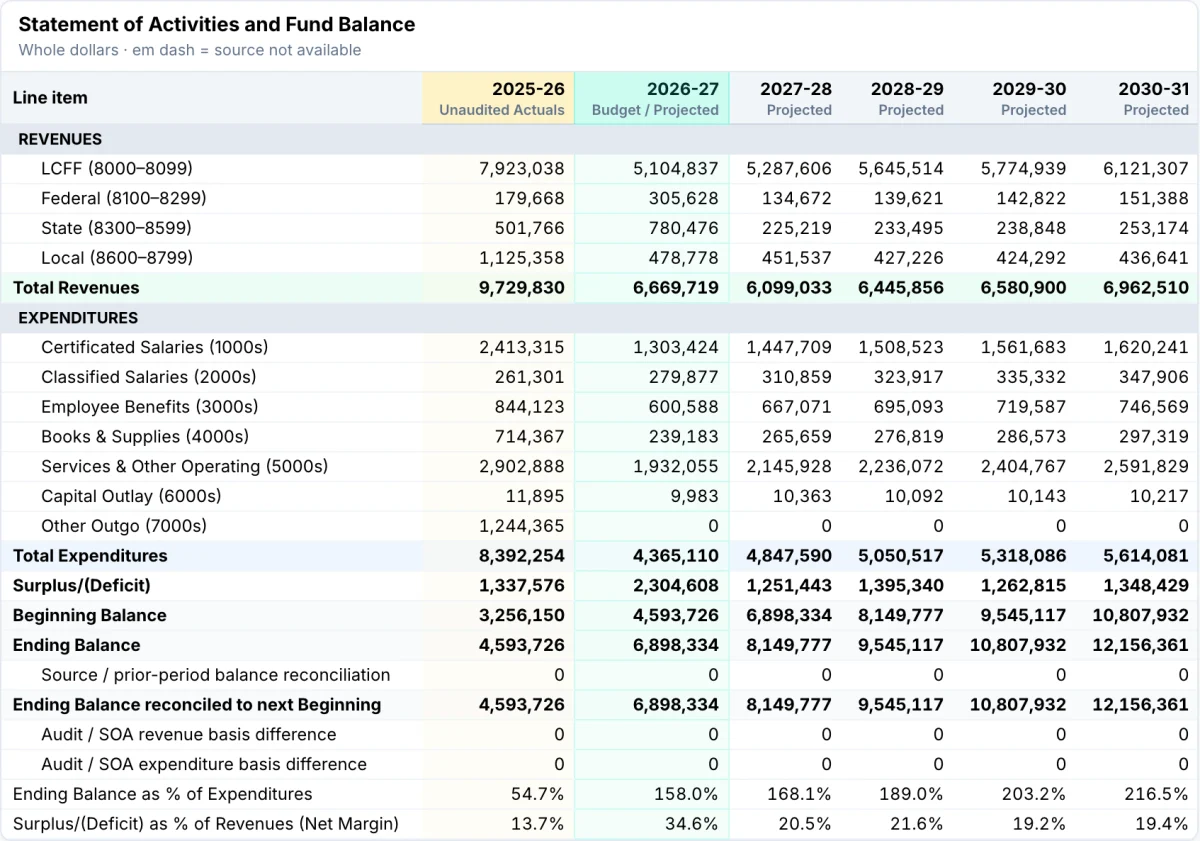
Multi-year outlook
Five years of actuals and five of projections on one page.
Live Sample Dashboard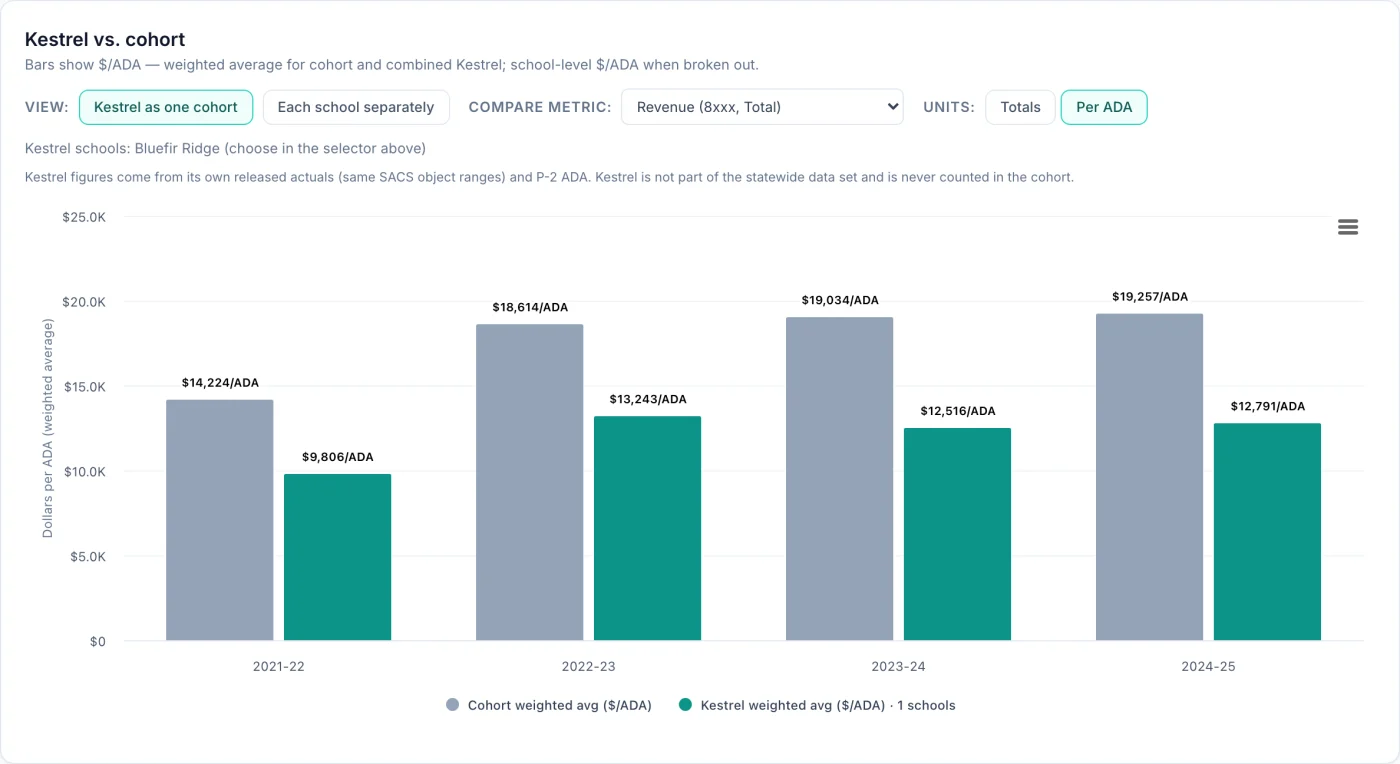
Statewide comparison
Your school per ADA against any cohort of California charter schools.
Live Sample Dashboard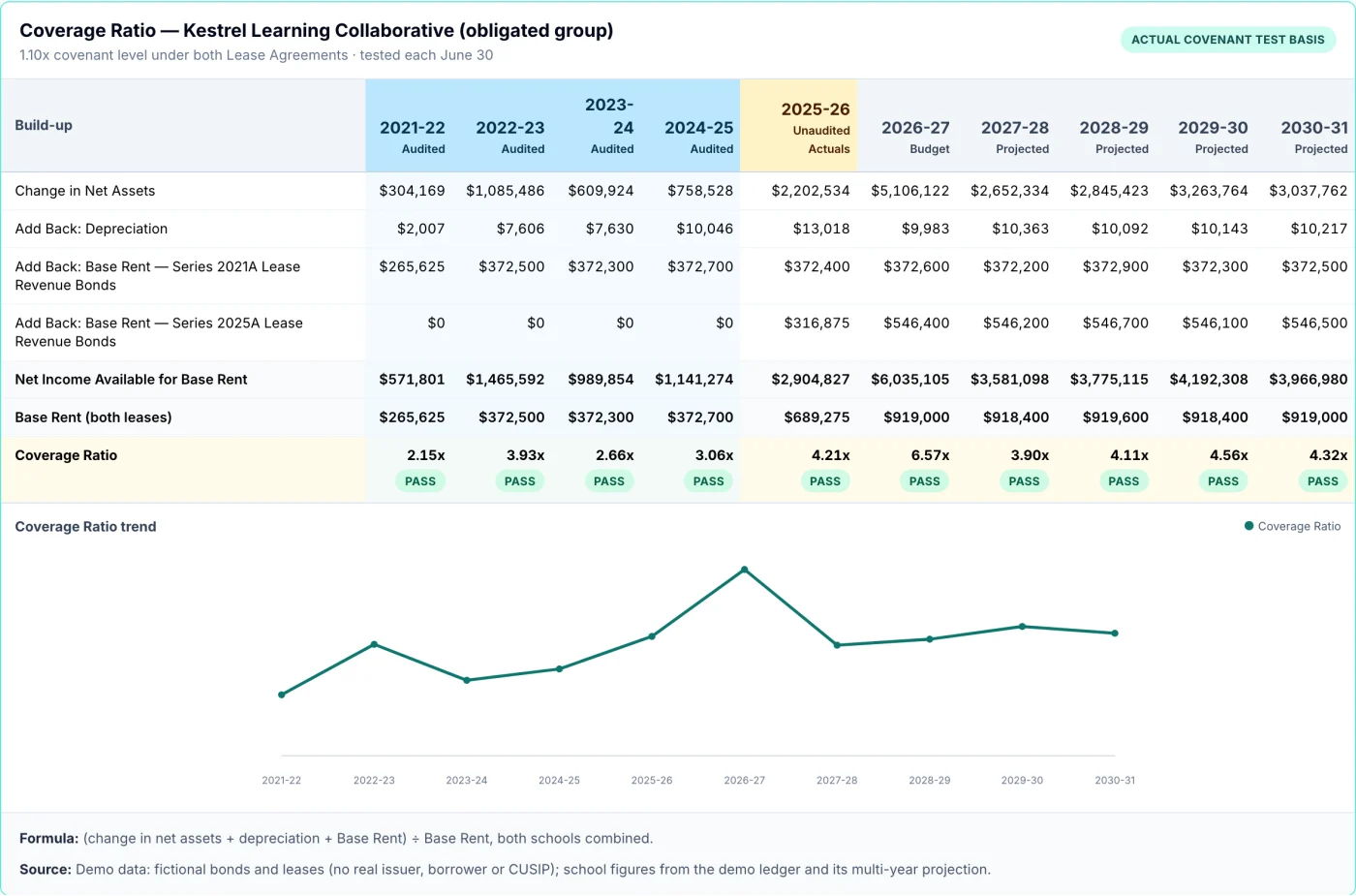
Bond covenants
Coverage and days cash on hand, tested every year, pass or fail.
Live Sample DashboardWhen a trustee asks
Answers that point back to the ledger
Click any line on any statement to see the general-ledger entries behind it. If you ask a question in plain English, the answer lists the entries it used, so a board treasurer can check it.
Why are supplies running ahead of budget this month?
Object 4310 is 58% used against 67% of the year elapsed, so it is under pace overall. February was higher than average because of one curriculum purchase (JE-2634, $6,450) budgeted for March.
Sample question · sample school · figures are illustrativeThe dashboard is included with the workflow
Tell us how your close runs today, and we will show you where your AI teammate would start.